Mobile App Walkthrough
Using the WAHS mobile companion
This walkthrough follows Margaret, a synthetic patient in her early eighties, as she uses the WAHS mobile companion to prepare for a geriatrics appointment. It covers signing in, reviewing records from several clinics, adding a personal note, asking questions about her medications, and sharing a summary with her care team.
About access: The mobile companion is currently available only to authorized project accounts, and every account uses synthetic records. The screenshots below show each step, and a full screen recording is at the end of the page.
Signing in
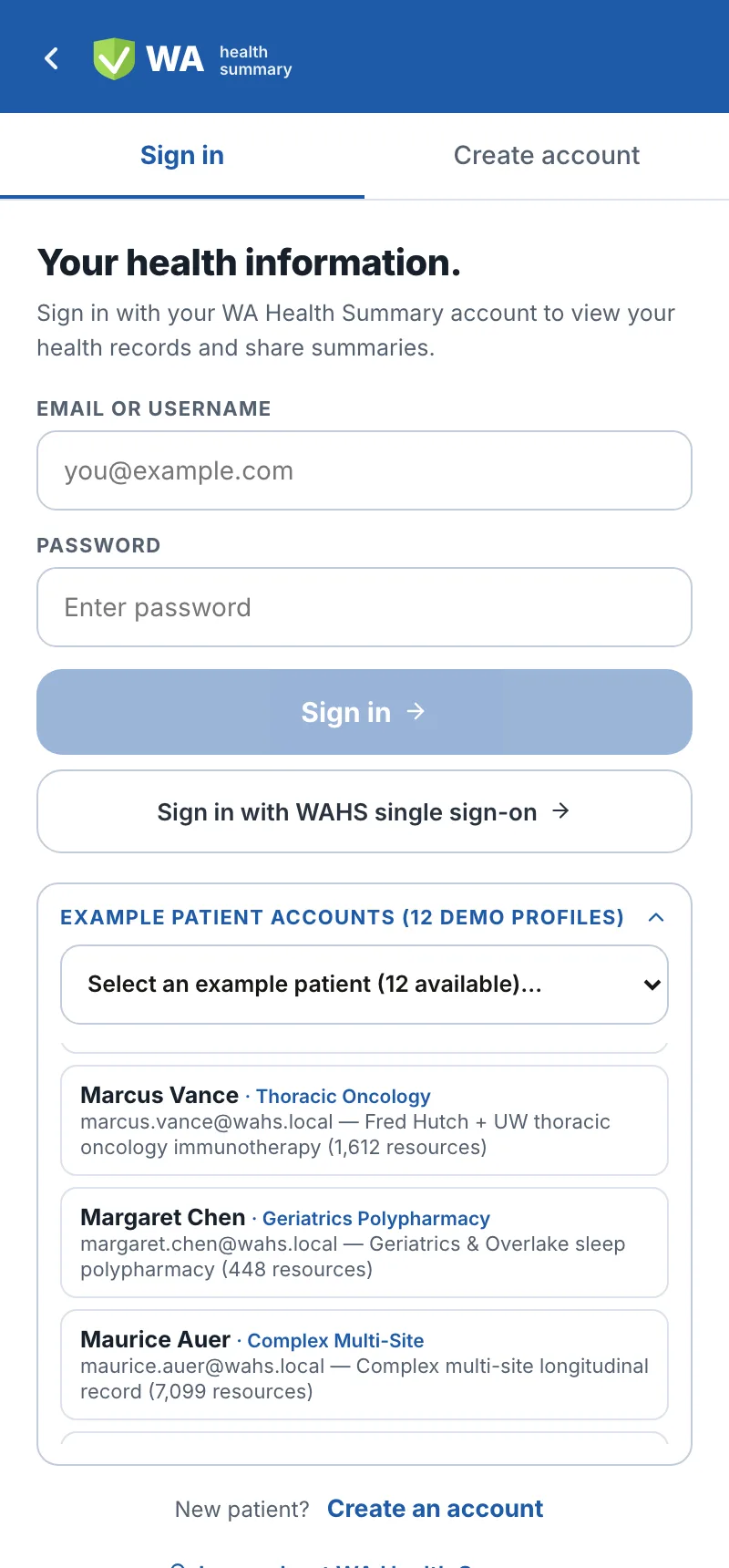
The demonstration system includes twelve example accounts, each built around a different kind of patient history. They include a child with asthma, a patient with heart and kidney disease, a patient in cancer treatment, and Margaret, who takes several medications prescribed by different clinics.
Selecting an account from the list signs in directly. The demonstration system is not meant for real health information.
The home screen
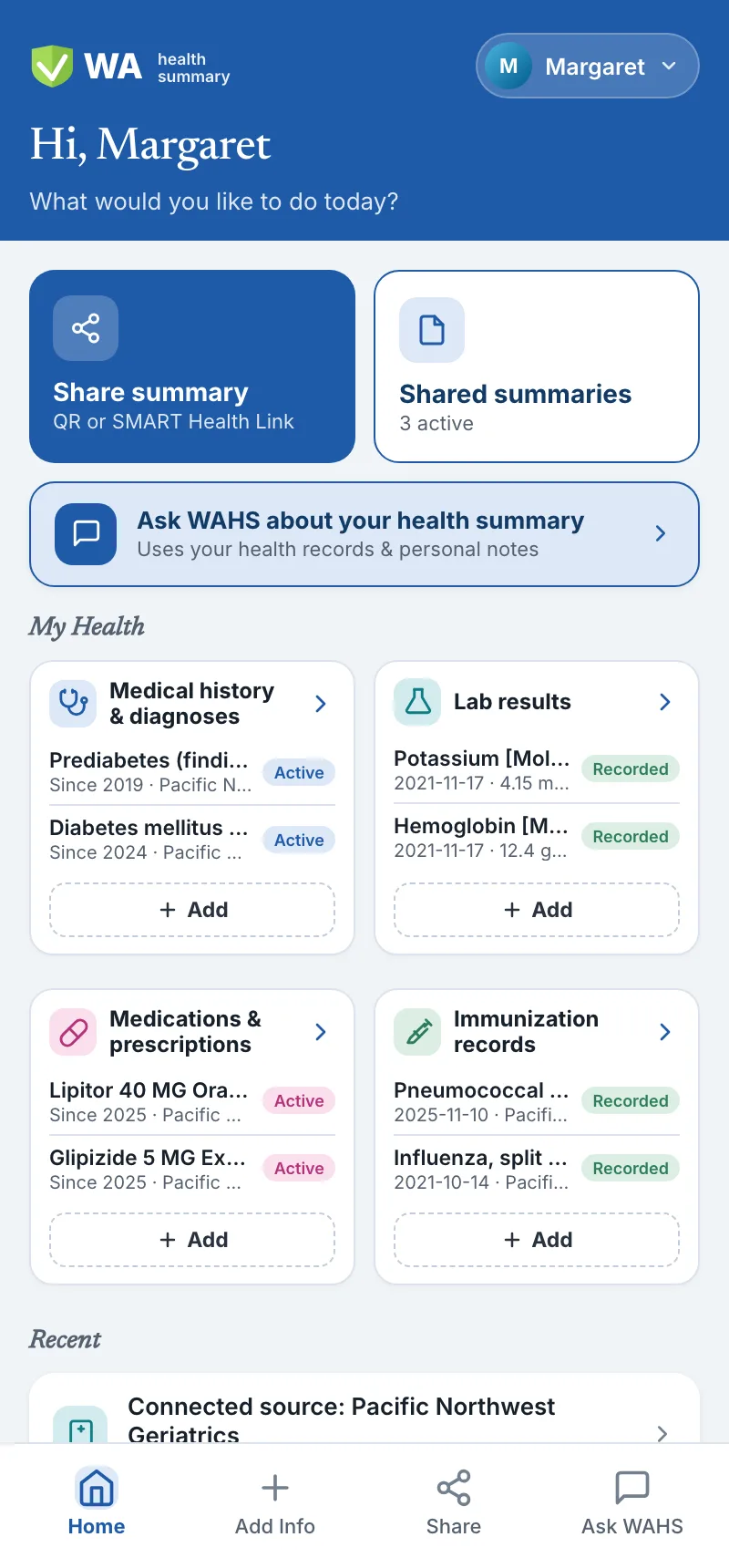
The home screen brings Margaret's records together in one place. Cards show her diagnoses, recent lab results, medications, and immunizations, with the clinic and date for each entry. Shortcuts at the top let her share a summary or open Ask WAHS.
Further down, she can see which organizations her records came from and open her personal notes, goals, care needs, and advance care planning documents. The bar at the bottom of the screen gives quick access to Home, Add Info, Share, and Ask WAHS.
Reviewing records from different clinics
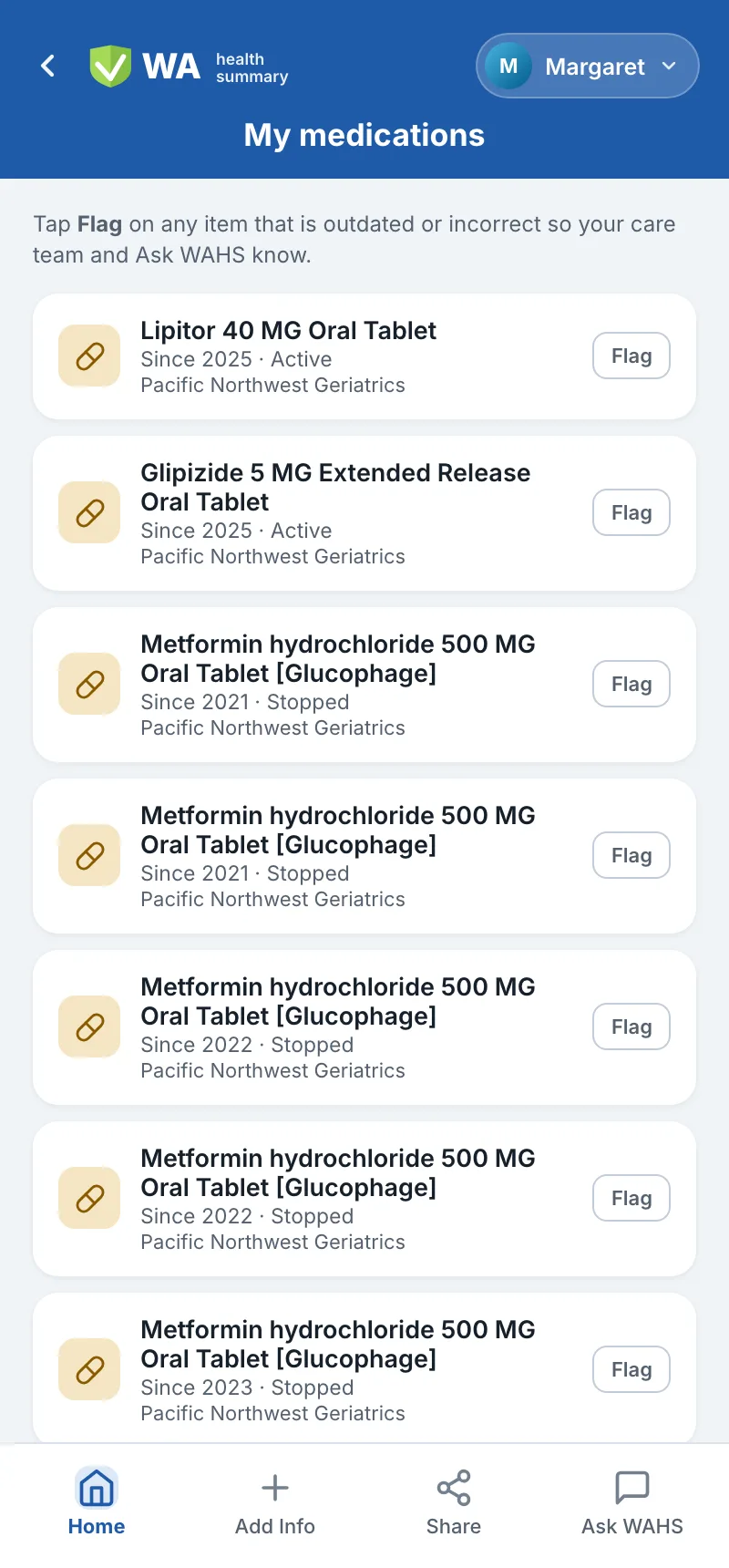
Margaret's records come from her geriatrics clinic, a sleep clinic, her pharmacy, and the state immunization registry. Opening a category such as medications shows every entry together, each labeled with its start date, whether it is active or stopped, and the clinic that recorded it.
If something looks outdated or wrong, she can select Flag on that entry to point it out to her care team and to Ask WAHS.
Adding personal notes
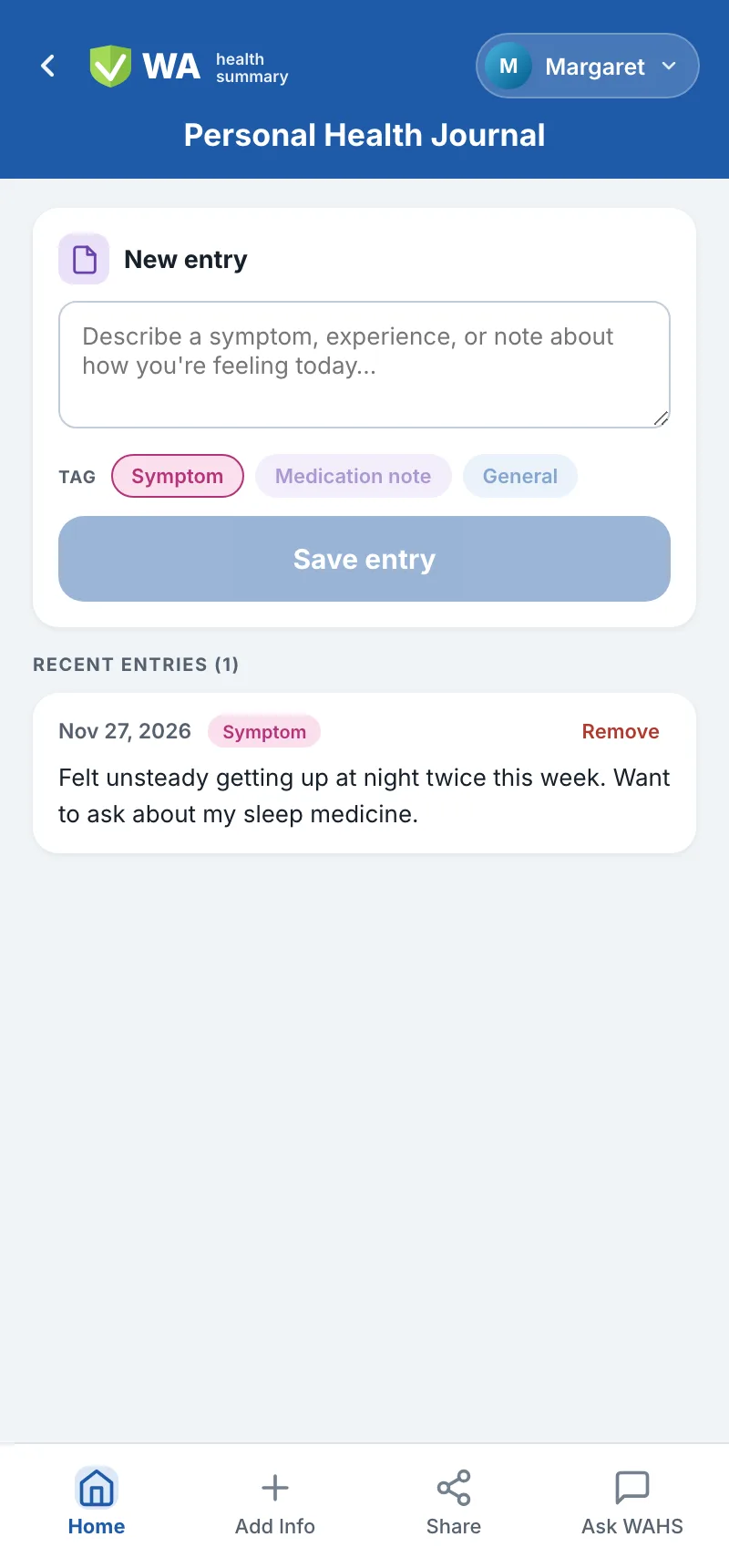
Clinic records do not capture everything a patient notices between visits. Under Add Info, Margaret can keep a Personal Health Journal, list My Goals, and note My Care Needs for her next appointment.
Here she records that she felt unsteady getting up at night and wants to ask about her sleep medicine. The note is saved to her health record, appears in the WAHS web app as well, and is included alongside her clinic records when she asks a question.
Asking a question
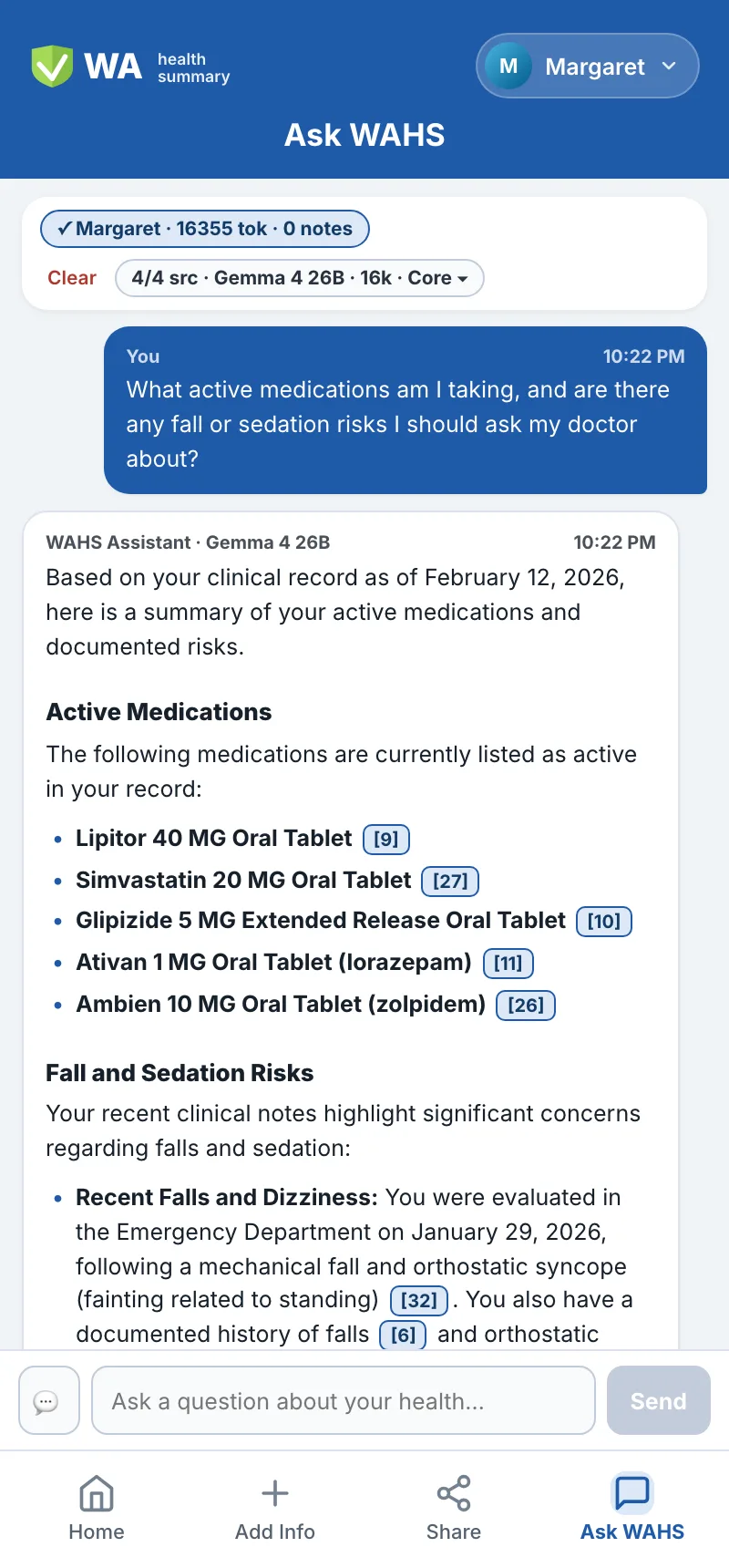
Before her appointment, Margaret opens Ask WAHS and asks:
"What active medications am I taking, and are there any fall or sedation risks I should ask my doctor about?"
The answer lists her active medications and connects details that were recorded at different times and places:
- an emergency department visit after a fall
- a diagnosis of low blood pressure when standing
- two sedating sleep medications taken at the same time
- a consultation note recommending changes to those medications
Each point carries a numbered citation. The answer ends with suggested questions for her care team and a reminder not to change any medication without talking to her clinician.
The speech-bubble button next to the question box shows suggested questions. Under Scope & AI Config, she can also limit a question to records from particular clinics.
Checking a source
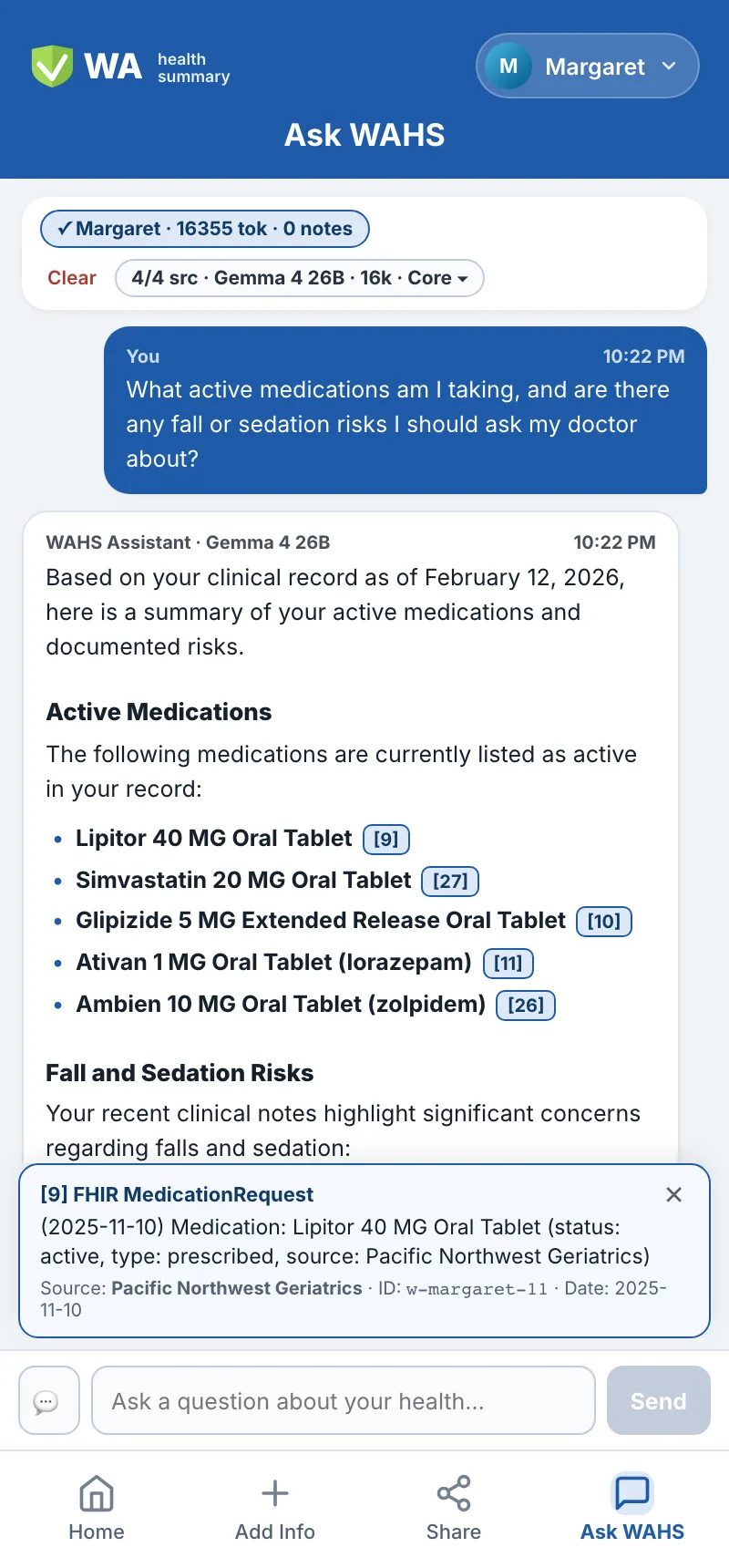
Tapping a citation number opens the record behind that statement, such as a medication order, lab result, or clinic note, along with its date and the organization that recorded it. This lets Margaret, a family member, or her clinician confirm what the answer says against the original entry.
Citations to her own notes are marked differently, for example [P1], so it is clear which statements came from clinic records and which came from her.
When the record has no answer
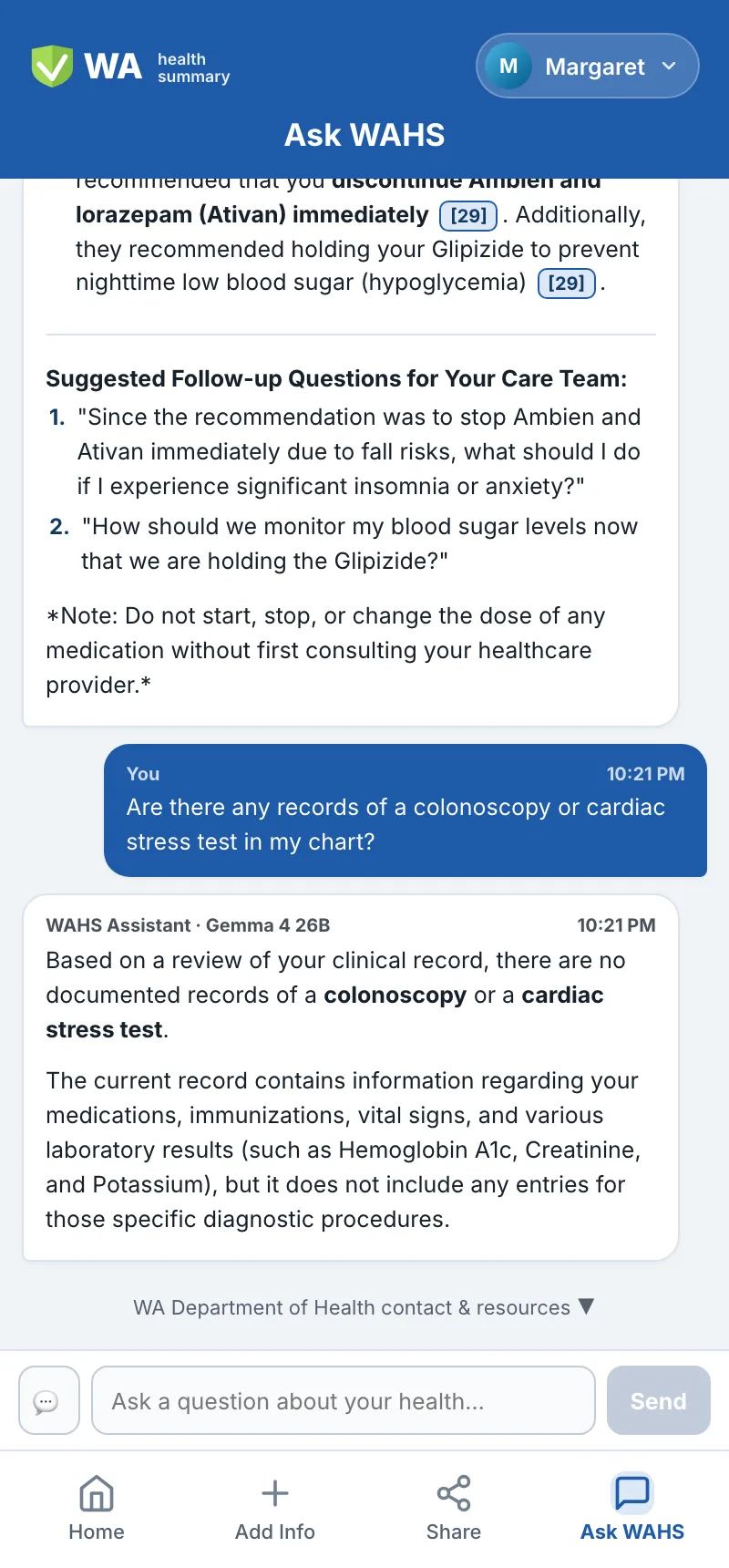
Margaret then asks whether her chart includes a colonoscopy or a cardiac stress test. Neither appears in her records, and the answer says so directly. It describes what the record does contain and does not guess.
This matters for patient-facing tools. A missing record can mean a test never happened, or that it was done somewhere whose records have not been added yet. Saying so plainly gives Margaret something specific to ask about at her visit.
Sharing a summary
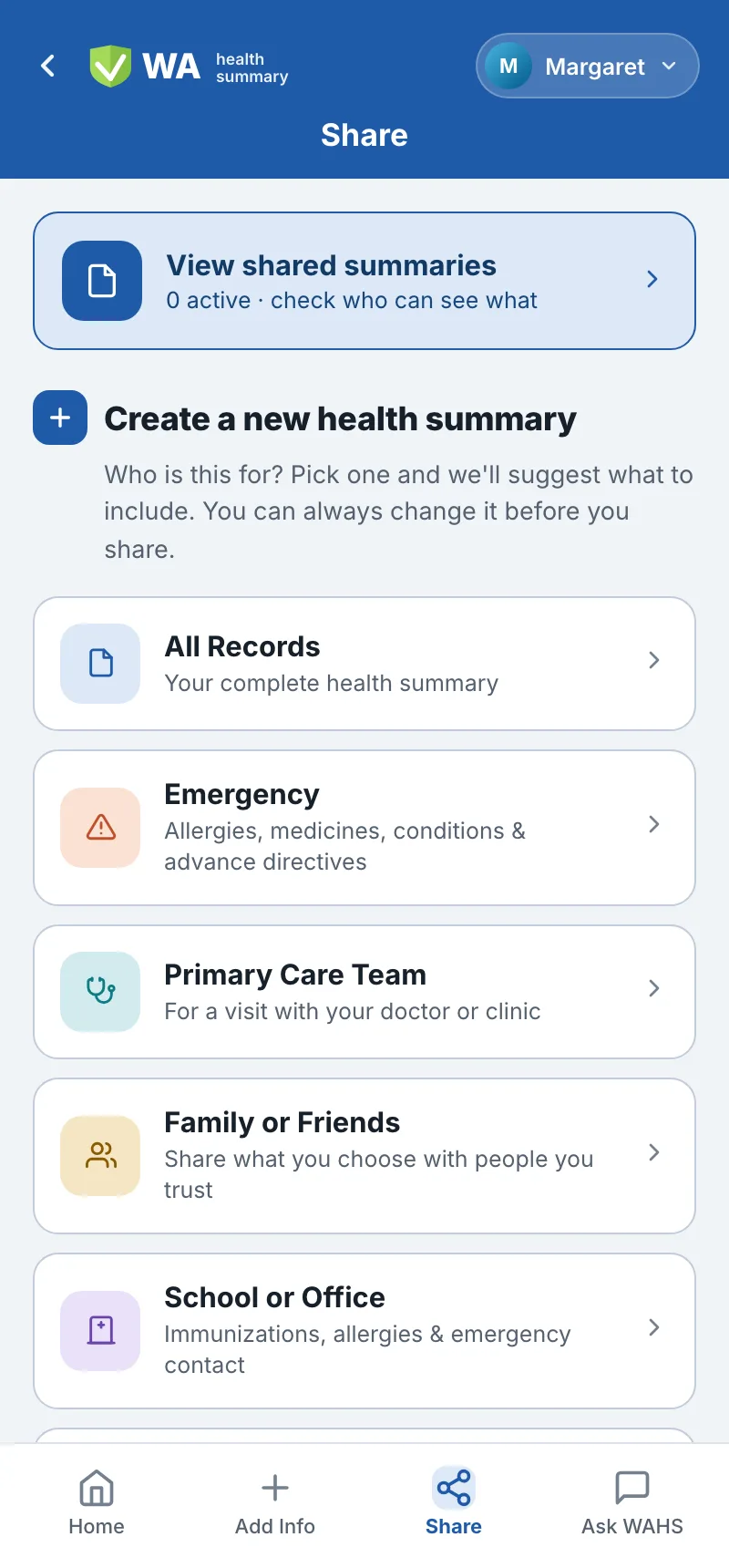
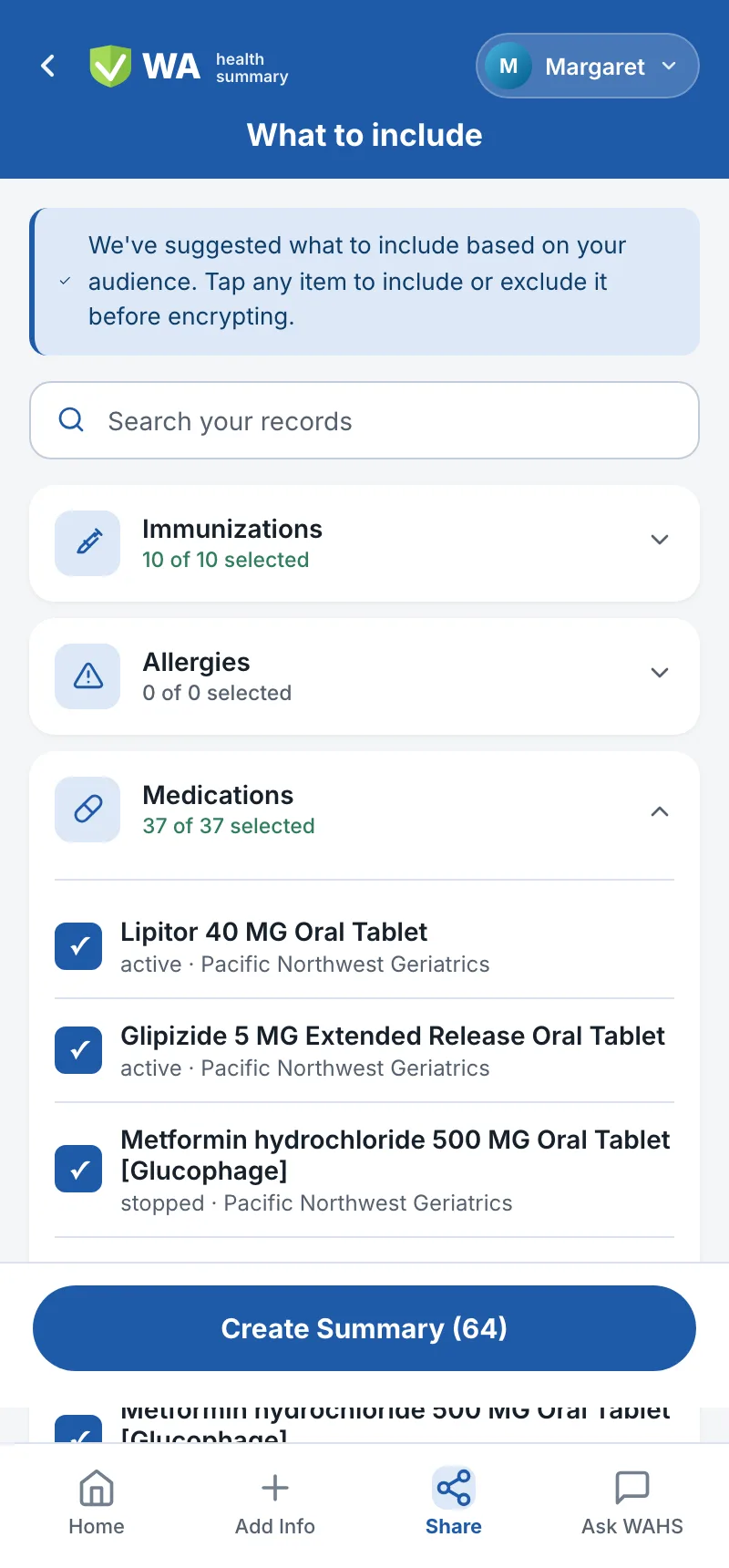
Under Share, Margaret first chooses who the summary is for: emergency use, her primary care team, family or friends, school or work, travel, or a custom selection. Each choice suggests what to include, and she can add or remove individual items.
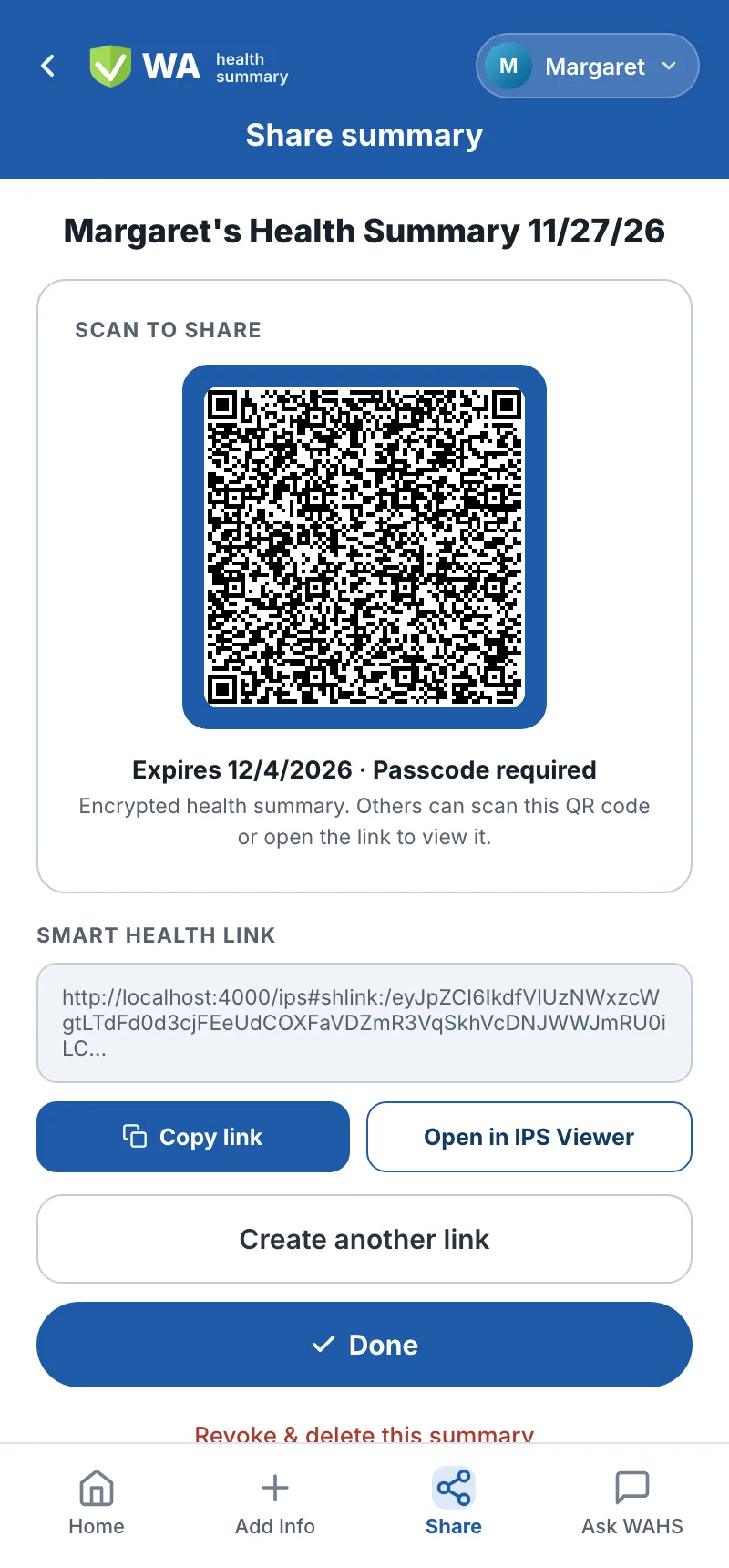
WAHS then creates an encrypted summary with a QR code and a link that expire on a set date. She can show the QR code at the clinic or send the link ahead of time. She can also revoke and delete a shared summary at any time, and the home screen keeps track of which summaries are still active.
Screen Recording
The full flow in one recording
This recording shows Margaret signing in, checking her summary, asking about medication safety, and opening a cited record.
WAHS also has a desktop web app for organizing records and building summaries in more detail. Both apps share the same health record, so a note added on the phone appears on the web right away.
WA Health Summary is an exploratory research and demonstration project using synthetic and de-identified records. Ask WAHS is designed to help patients prepare for conversations with their clinicians. Its answers can contain errors and do not constitute medical advice.